XiaoyaoClaw Context Budget
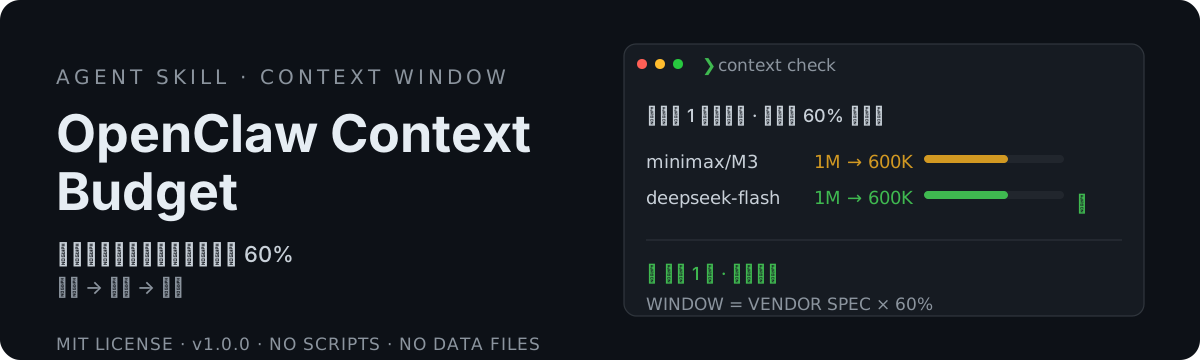
A "tuner" for context windows — detect enabled models, fetch latest nominal windows from official sources, suggest 60% budget. You reply with a number; only then does it write & verify. Detect → decide → execute, with one-step rollback.
Product Introduction
OpenClaw Context Budget turns model-context tuning from a manual chore into a detect + one-number flow. Models vary wildly (200K / 1M…) and OpenClaw falls back to a default when the window is undeclared: underestimate → early auto-summarization, broken long tasks, compression lag; overestimate → scattered attention, lower quality on long context; no audit trail of who set the number or why; the "leave 60% headroom" rule still needs manual per-model math. This skill fixes best practice (effective window = vendor nominal × 60%): runtime enumeration of enabled models (incl. image/PDF side-paths), each check fetches the latest nominal window from the vendor’s official docs (source + fetch time on the decision card), you reply with one number to adopt, only then does it config.patch in and verify runtime effect. Touches window fields only (maxTokens etc. untouched), snapshot before change for one-step rollback, pure instructions no scripts no deps, consistent across install shapes.
Core Features
- Fixed best practice — effective = vendor × 60% (with headroom, less attention scatter); ratio overridable per call
- Dynamic enumeration — runtime reads enabled models from config (incl. image/PDF side-paths); no hardcoded vendor or model
- Official sources — each fetch goes to vendor official docs/API; source + fetch time on decision card
- One-number confirm — detect (auto) → decide (reply a number) → execute (auto)
- Window-only — maxTokens etc. and compression thresholds untouched; minimal blast radius
- Rollback — one command undoes the last change (reverse-write old value); pre-change snapshot for one-step restore
- No silent writes — explicit confirmation required; writes go via config.patch, runtime effect verified, diff reported honestly
- Pure instructions — no scripts, no data files, no third-party deps, no network package install, consistent across installs